
Design system
Brand
The visual identity that sits above the design system — logo, favicon, iconography, and illustration choices that signal Neuwo specifically.
Logo
The Neuwo wordmark ships in four colour variants — one for every common surface. NEU always stays in the brand colour, WO stays in the dominant text colour for that surface. Each file is a single SVG, no raster fallbacks. The header currently uses variant 4 against the dark page background.
Variants
Pair each variant with the surface family it was tuned for. Mixing them — e.g. variant 1 on a dark surface — collapses contrast on either NEU or WO and breaks the wordmark.



Usage rules
A short list of what to do and what to avoid when placing the wordmark.
Do
- Use the colour variant that fits the background.
- Leave space around the logo.
Don’t
- Place the logo on textures or colourful images.
- Apply effects — shadow, glow, bevel, or any other treatment.
- Stretch, squash, or otherwise alter the artwork.
Favicon
The favicon is a self-contained SVG — a white N on a deep navy rounded square. It scales cleanly from a 16 px tab favicon up to PWA tile sizes without rasterisation, and the rounded square is part of the artwork so the icon owns its own corner radius rather than relying on the host platform.
SVG at common sizes
Same source file (favicon.svg) at the four sizes the OS will most often render it.

Iconography
Two distinct families. Inline stroke icons are author-drawn SVGs embedded directly in templates, drawn in currentColor so they pick up the surrounding text colour at every callsite — chevrons, hamburger, mail, close, social marks, list bullets. Solution glyphs are five hand-tuned multi-colour SVGs in src/public/icons/solutions/, one per offering, used on the landing-page solutions grid and the dropdown trigger graphics. The two families never overlap: stroke icons are functional UI affordances, solution glyphs are brand artwork.
1 · Inline stroke icons
Authored as <svg> in the markup — no sprite sheet, no icon font. Every icon uses fill="none" and stroke="currentColor" so a single declaration in the parent (or inheriting from --color-text) drives the colour everywhere. Sizes cluster around three values and stroke weights around 1.5 for body and 2 for emphasis. Stroke icons are never used as decorative artwork — if it isn’t a UI affordance, reach for the solution glyphs or an illustration.
<svg width="16" height="16" viewBox="0 0 24 24" fill="none"
     stroke="currentColor" stroke-width="1.5"
     stroke-linecap="round" stroke-linejoin="round"
     aria-hidden="true">
  <path d="..." />
</svg>
Common sizes
10×6 · 16×16 · 20×20
10×6 for the dropdown-trigger chevron (viewBox="0 0 10 6", the smallest indicator on the site). 16×16 for inline-with-text affordances — mail, link arrows, footer chrome. 20×20 for primary controls like the announcement-bar dismiss and the API-demo run spinner. Anything larger reaches for the solution glyphs instead.
Stroke weights
1.5 · 2 · 2.5
Pick weight by purpose, not size. 1.5 for body-text-adjacent icons that should read as part of the prose (the default in the header dropdown chevrons). 2 for primary UI controls and decorative checkmarks. 2.5 for the heavy-stroke icons used inside the form-check input’s checked-state SVG. The site has stray 1.25, 1.75, 2.2, 3, 3.5 values too — those are one-off decisions in animated illustrations, not part of the icon system.
Common production icons
stroke="currentColor"
mail
chevron-down
close
jump-down
search
check
linkedin (filled)
github (filled)
Stroke icons inherit colour from the surrounding text via currentColor — never set a hard stroke value. Social brand marks (LinkedIn, GitHub, X) are the one exception — those use fill="currentColor" on solid shapes since the brand mark is the entire silhouette, not an outline. Always include aria-hidden="true" when the icon is decorative (paired with a text label) and a real aria-label when it stands alone (the announcement-bar close, the footer social links).
Used by: the header (dropdown chevrons, hamburger toggle), the skip-link jump-arrow, the team-card links, the announcement-bar dismiss, the API-demo run spinner, the form-check checkmark, every footer social icon, and the blog-post body. Authored inline at each callsite — there’s no central icon component yet, so when an icon is reused in three places it gets duplicated three times. If a fourth use lands, that’s the cue to lift it into a Nunjucks include or a sprite.
2 · Solution glyphs
Five multi-colour SVGs in src/public/icons/solutions/, one per offering. Branded artwork rather than UI affordances — they ship with their own colours baked in (cyan, green, navy) so they don’t inherit currentColor. Used on the landing-page solutions grid as the headline visual for each card, and as supporting graphics in the header dropdowns.
The five solution glyphs
/public/icons/solutions/<slug>.svg


Used by: the landing-page solutions section, the per-solution hero on each /solutions/…/ page, and (smaller) the header Solutions / Advertisers / Developers dropdowns. Each glyph is a single SVG with embedded colour stops; never recolour them — if a different colour treatment is needed, that’s a request for a new variant, not a CSS override. Sizes range from 1.5 rem (dropdown) to 4 rem (card hero) to 5.5 rem (solution-page hero).
Illustration
Decorative artwork that sets the tone of a page rather than carrying a UI affordance. Three production families: the animated hero canvas on the landing page (signal trails on a grid), radial-gradient blob fields that float behind the hero and other tinted sections, and raster + SVG illustrations that ship inside individual solution pages (ad-placement renders on monetisation-platform, photographic accents on contextual-audiences and bid-enrichment).
1 · Hero signal canvas
The dotted “signal” trails crawling along the landing-page hero are a single <canvas class="hero__signals"> element animated in src/js/hero-signals.js. Each “signal” is a head dot trailing 80 dimming segments along the grid; signals turn at intersections with a 30 % chance per cell and respawn off-screen. Colours read live from CSS variables (--signal-trail-r/g/b, --signal-trail-multiplier, --signal-dot) so the palette is theme-driven, not hard-coded.
Recipe
.hero__signals + hero-signals.js
- Grid cell — read from
.hero__grid’sbackground-size, falls back to48 px. - Trail length —
80segments; head is full-opacity--signal-dot, tail fades to transparent over a pre-computed256-step alpha lookup so per-frame string concatenation is avoided. - Turn chance —
0.3per intersection; signals never reverse, only turn 90°. - Respawn — signals leaving the canvas are recycled at a random edge cell with a fresh direction.
- Visibility — the loop is paused via an IntersectionObserver while the hero is off-screen so the canvas doesn’t cost cycles after the user has scrolled past it.
Used by: the landing-page hero on / only. The canvas costs nothing if the script doesn’t find a .hero__signals element on the page (early return), so loading the JS site-wide via src/_includes/base.njk is fine. Don’t reuse the canvas elsewhere — the recipe is tuned to the hero’s scale and the IntersectionObserver assumes a single instance.
2 · Blob fields
Floating colour washes behind hero and section backdrops. Each blob is an absolutely-positioned div with a single radial-gradient from a brand colour at low opacity to fully transparent — not a filter: blur() on a solid shape, which would destroy GPU performance. Each blob carries its own 40 s “ease-in-out infinite alternate” keyframe that drifts position by a few percent so the field feels alive without ever finishing a discrete loop the eye can latch onto.
Recipe
.hero__blob · .hero__blob--1 / --2 / …
src/css/landing/hero.css:132. Two-colour palette — cyan (rgba(10, 165, 195, …)) and green (rgba(138, 203, 70, …)) at low opacity. Stack two or three blobs at different positions, sizes, and opacities to build the depth. Opacity values are exposed as --hero-blob-blue-1 / -2 and --hero-blob-green-1 / -2 custom properties so the intensity can be tuned per surface. The static specimen above shows two stacked blobs without animation; on the live site each blob runs its own keyframe.
Used by: the landing-page hero (/), and as a smaller-scale backdrop on the design-system header pattern previews. Reach for this whenever a section needs a hint of the brand without a hard-edged shape — never as the primary content.
3 · Ad placement renders
Nine SVG illustrations in src/public/solutions/monetisation-platform/, each a stylised render of an ad placement (in-screen, interstitial, double-medrec, vertical, top-in-screen, etc). Used inside the placement-tabs component on the monetisation-platform page; switching tabs swaps which SVG is shown. They’re intentionally diagrammatic — no real-page chrome, just enough geometry to communicate where the ad lives.
Placement library
/public/solutions/monetisation-platform/neuwo-placement--*.svg
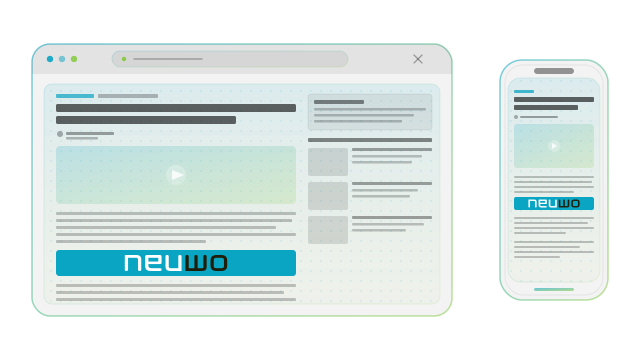
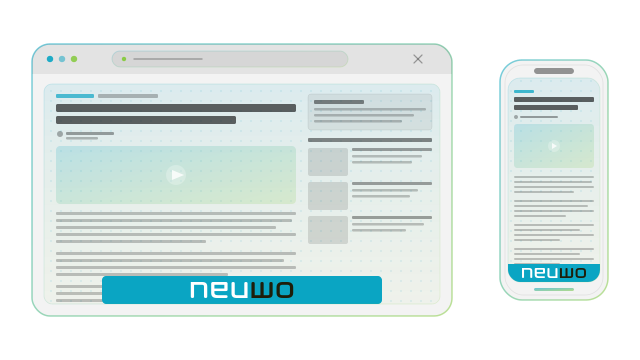
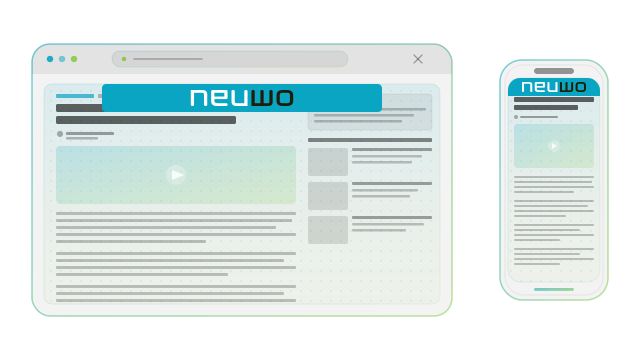
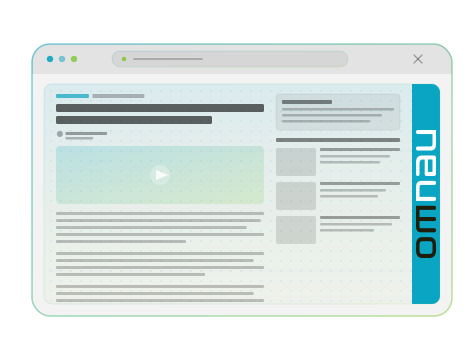
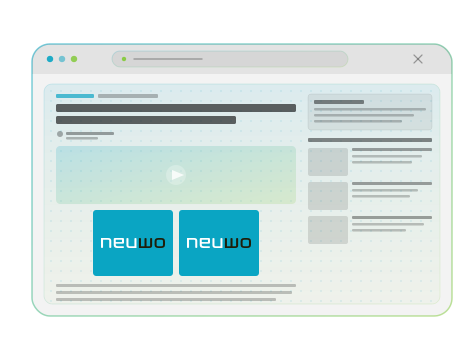
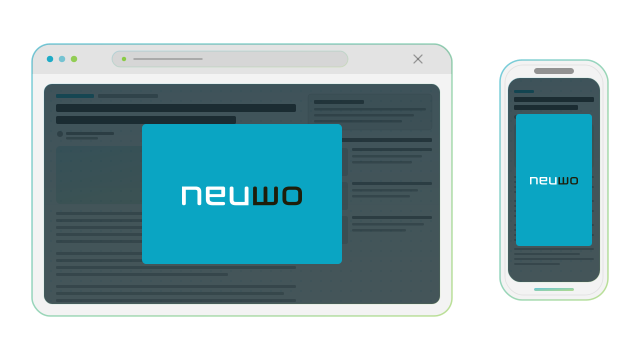
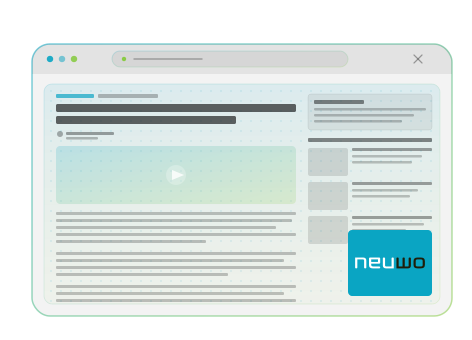
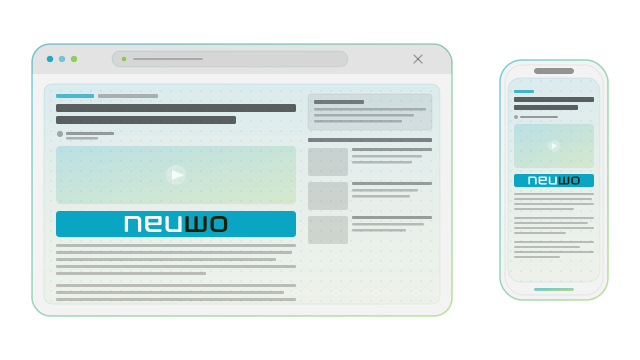
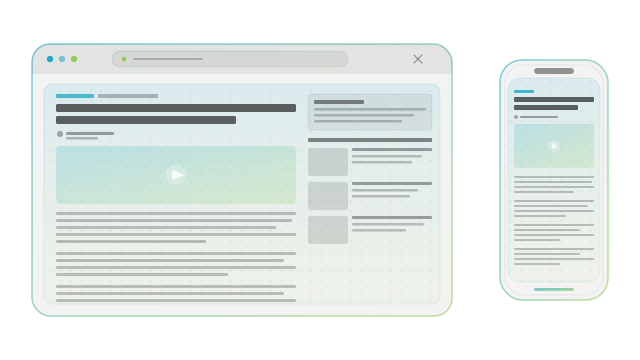
Used by: the placement-tabs component on /solutions/monetisation-platform/ — one tab per file, switched by src/js/placement-tabs.js. Don’t reuse outside this context — the diagrammatic style is tied to the “here’s where this ad goes” story; if you need to point at a placement elsewhere on the site, link to the monetisation page rather than embedding the SVG standalone.
4 · Photographic accents
The production site uses photography sparingly — the rest of the system leans on flat colour, gradients, and SVG, so a real photograph reads as a deliberate pause. Contextual Audiences uses a real-world content shot beside the live classification demo, Bid Enrichment uses a sample article snapshot, and the landing-page Lumi-AI section uses a supercomputer backdrop. The Monetisation Platform card pairs light and dark UI screenshots so the right shot can be served per surface. The image files themselves live in the marketing repo, not in this design-system reference.